
p
Polario 相框
polario-frame 是一个易于使用的 Typst 相框包。它提供了多种主题和图像裁剪工具来制作您的相框。polario 源自 Polaroid(拍立得),体现了本工具希望像拍立得相机一样快速呈现理想照片的愿望。
简单使用
- 通过以下方式导入
polario-frame包:
#import "@preview/polario-frame:1.0.0": *
- 使用裁剪工具裁剪图片:
#let img = crop(bytes(read("simple.jpg", encoding: none)), start: (25%, 25%), resize: 75%)
- 使用
polario-frame渲染相框:
#let ext-info = (
    "first": image("logo/apple.svg"),
    "second": text(size: 22pt)[这是标题],
    "third": text(size: 8pt)[昆明\ 丽江],
    "extend-middle-ratio": 65%,
    "background": rgb("#ffffffee"),
)
#render((width, height), flipped: false, theme: "classic-bottom-three", img: img, ext-info: ext-info)
这样可以轻松地为照片添加 classic-bottom-three 相框。
渲染效果
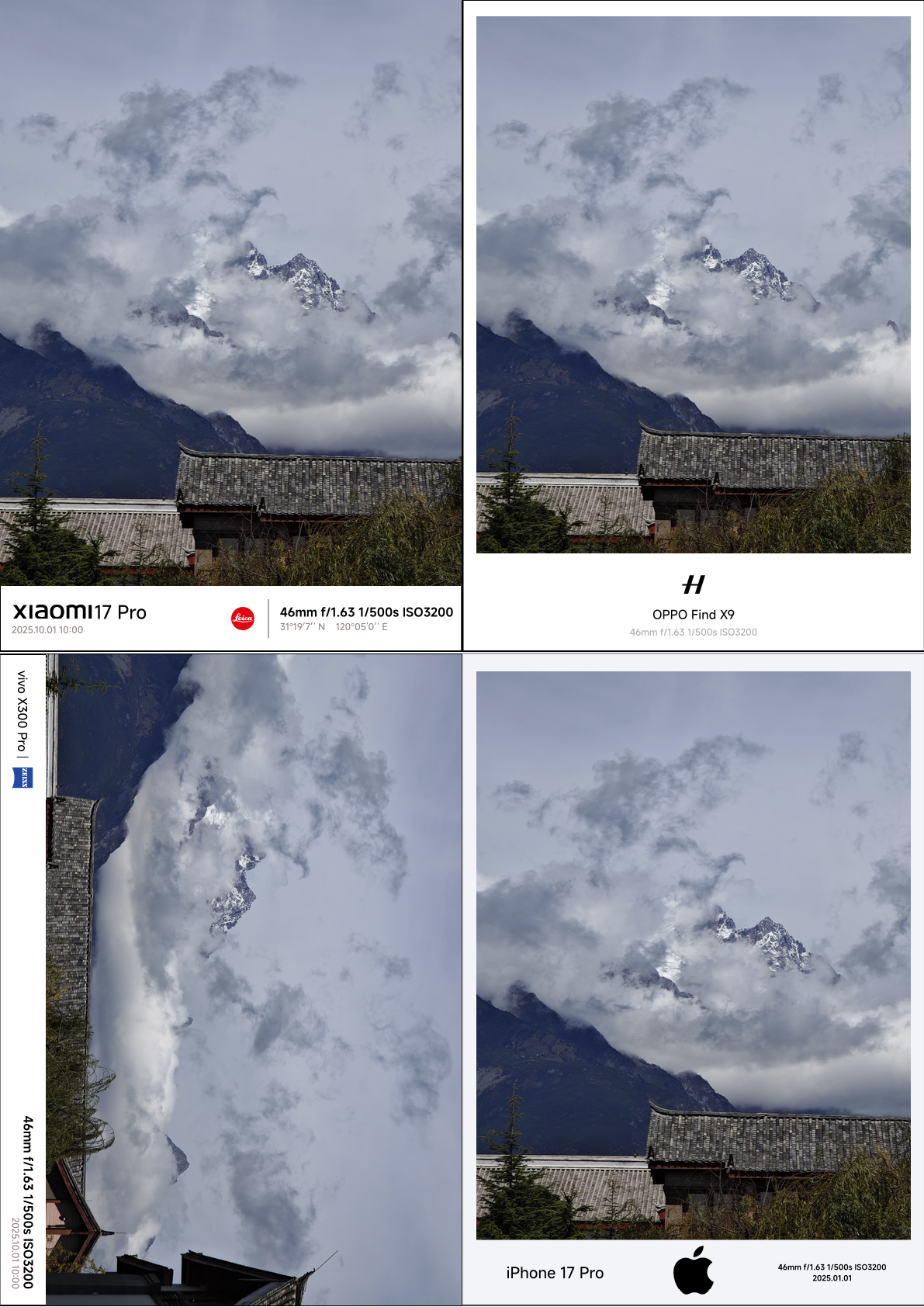
如果您需要其他主题相框,可以查看 exmaple。 里面包含了默认主题,自定义主题,以及现在常见的各个手机品牌的相框样例。如果发现基本主题没有覆盖到,请提 issue 或者 PR。
基础主题参数
渲染参数
size: 可以传入一个元组,如(width, height), 或者传标准纸名称,如A1~A11flipped: 是否翻转,默认falsetheme: 相框主题,可选值classic-bottom-twoclassic-bottom-threeclassic-right-twoclassic-right-threepolaroid-bottom-twopolaroid-bottom-threepolaroid-right-twopolaroid-right-threeimg: 图片,传之前需先裁剪ext-info: 相框扩展信息,具体根据主题决定
ext-info 支持的属性
first: 从左到右或者从上到下的第一个元素, 默认空second: 从左到右或者从上到下的第二个元素, 默认空third:从左到右或者从上到下的第三个元素, 默认空 (仅 *-three 主题支持)extend-ratio: 扩展白边宽度比例,默认10%extend-half-ratio: 扩展白边第一个元素比例,默认50% (仅 *-two 主题支持)extend-middle-ratio: 扩展中间元素比例,默认20% (仅 *-three 主题支持)background:背景颜色,默认无inset-ratio: 内边距比例,默认不连边 3%(仅 polaroid-* 主题支持)
版本
1.0.0
- 正式版本
- 提供8款基础主题样式
classic-bottom-twoclassic-bottom-threeclassic-right-twoclassic-right-threepolaroid-bottom-twopolaroid-bottom-threepolaroid-right-twopolaroid-right-three相框 - 提供裁剪工具
crop - exmaple 添加更多样例
0.1.0
- 初始版本